

关于ext-sodium1
Sodium 是一个易于使用的现代化软件库,用于加密、解密、签名、密码哈希等。 其目标是提供构建更高级别加密工具所需的所有核心操作。
事由
今天在拉取composer拓展的时候出现如下异常
Xdebug: [Log Files] File 'E:/wamp64/logs/xdebug.log' could not be opened.
Loading composer repositories with package information
Updating dependencies

In CurlDownloader.php line 371:

  curl error 28 while downloading https://packagist.org/providers/ext-sodium.json: Failed to connect to packagist.org port 443 after 5241 ms: Timed out
问了问度娘,度娘告诉我没有使用国内镜像,让我配置国内镜像。可是我已经将阿里云,腾讯云,phpcomposer,都写进了composer.json文件中,怎么还会出现这个问题呢?
转折
直到有一次使用了composer update
#composer update
Xdebug: [Log Files] File 'E:/wamp64/logs/xdebug.log' could not be opened.
Loading composer repositories with package information
https://mirrors.cloud.tencent.com/composer could not be fully loaded (curl error 56 while downloading https://mirrors.cloud.tencent.com/repository/composer/p/doctrine/inflector.json: OpenSSL SSL_read: Connection was reset, errno 10054), package information was loaded from the local cache and may be out of date
Updating dependencies
Your requirements could not be resolved to an installable set of packages.

  Problem 1
    - Root composer.json requires w7corp/easywechat ^6.7 -> satisfiable by w7corp/easywechat[6.7.0, ..., 6.15.5].
    - w7corp/easywechat[6.7.0, ..., 6.15.5] require ext-sodium * -> it is missing from your system. Install or enable PHP's sodium extension.

To enable extensions, verify that they are enabled in your .ini files:
    - D:\phpstudy_pro\Extensions\php\php8.2.0\php.ini
You can also run `php --ini` in a terminal to see which files are used by PHP in CLI mode.
Alternatively, you can run Composer with `--ignore-platform-req=ext-sodium` to temporarily ignore these required extensions.
才突然明白过来,ext-sodium是一个php拓展,需要在php.ini中设置。
解决
这才去找到php.ini
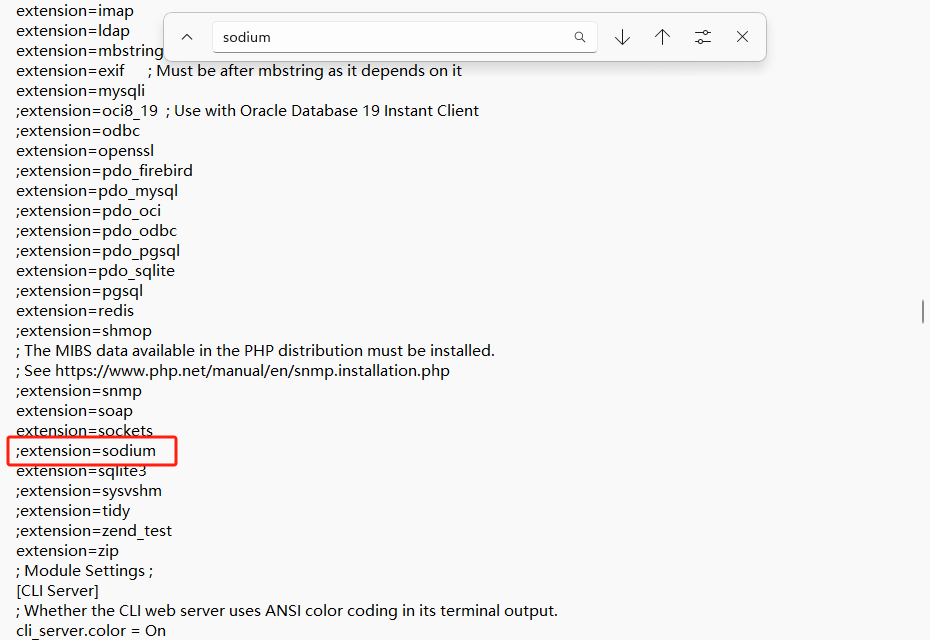
将分号去除后,再次执行composer update。这才终于成功。